y=100
y'FocusRect=0
|
FocusRect |
Focus Rectangle |
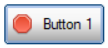
This property controls whether a dotted rectangle displays when the control has focus. Default is On.
Possible values are:
|
|
0 |
No focus rectangle is shown. |
|
|
1 |
Focus rectangle is shown. |
Example:
To turn Button focus Off:
BUTTON 100,@(40,12,10,2)="{!Stop}Button 1"
y=100
y'FocusRect=0
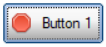
To turn Button focus back On:
BUTTON 100,@(40,12,10,2)="{!Stop}Button 1"
y=100
y'FocusRect=1
(The FocusRect property was added in PxPlus 2026.)
On
The OPTION mnemonic provides FocusRect options based on control type; such as FocusRectBtn (for Buttons) and FocusRectCB (for Check Boxes), among others.
BUTTON • CHECK_BOX • DROP_BOX • LIST_BOX • LIST_VIEW • RADIO_BUTTON • REPORT_VIEW • TREE_VIEW • TRISTATE_BOX